W / D / Spacebar / Up Arrow / Right Arrow: Accelerate Forward
S / A / Down Arrow / Left Arrow: Move Backward
Esc: Pause
? Button: Access Skip option
High Score Tips
Take the first attempt of each new vehicle as a learning run — with a new vehicle, your first attempt tells you whether this vehicle is front-heavy (tends to nose over) or rear-heavy (tends to flip backward), and how aggressively it responds to acceleration. Use this information on the second attempt rather than expecting the same speed management that worked before.
Backward movement is not just for reversing — moving backward before a ramp can allow you to build up a run-up approach at a specific distance and angle that forward-only positioning doesn't allow. Use backward-and-then-forward approaches to engineer the precise speed and angle for difficult ramps.
Slow down before ramp crests — the moment where a ramp meets flat terrain (or a gap) is where most flips occur. The vehicle's momentum from the ramp carries it forward at the crest, and at excessive speeds, the front goes over before the rear lifts off. Slow before the crest, not on it.
Drive Mad
Play Drive Mad online free at racing-limits.io. Jump into instant browser gameplay with no downloads.
Drive Mad is a physics-based vehicle game with a deceptively simple premise: drive from start to finish without flipping over, breaking apart, or tumbling into water. The reason this is hard isn't the obstacle design — it's the vehicles themselves. Each level introduces a different vehicle with its own distinct physics behavior, and what worked to navigate a ramp with the previous level's car may flip the current level's truck immediately. Drive Mad's challenge is less about mastering a track and more about repeatedly learning how a new vehicle behaves under acceleration and terrain stress.
The game's two-axis difficulty is what creates its addictive quality. There's the physical challenge of the track — ramps, bridges, gaps, and tricky platforms that require specific approach speeds and momentum management. And there's the vehicle challenge — understanding this particular vehicle's center of gravity, its tendency to flip in specific directions, and the acceleration profile that the terrain requires. When both dimensions click simultaneously, a Drive Mad level completion feels genuinely satisfying. When they don't, the fast restart mechanic (the game resets quickly after failure) means the next attempt is moments away.
The skip option is a genuinely useful game design choice that merits specific acknowledgment. Drive Mad's 100 levels include configurations that may be genuinely frustrating for specific skill levels, and the ability to skip past a stuck level without penalty allows the game to be enjoyed continuously rather than becoming a single-level wall. Players who choose not to skip have access to a legitimate challenge; players who skip can continue through the variety of the full 100-level content set. Both approaches produce a complete Drive Mad experience.
Key Details:
Genre:
Physics Driving / Puzzle
Difficulty Level:
Easy start, Hard in later levels
Average Play Time:
15–30 minutes per session
Best For:
Players who enjoy physics-based vehicle challenges, level-based progression, and the specific satisfaction of mastering quirky vehicles on difficult terrain
How to Play Drive Mad?
Getting Started:
Press and hold W, D, Spacebar, or the Right/Up Arrow to accelerate forward.
Press S, A, or the Left/Down Arrow to move backward when you need to reverse or reposition.
Approach ramps, bridges, and gaps at speeds that your current vehicle can handle — too fast and you flip; too slow and you don't clear obstacles.
When you flip, crash, or fall into water, the level restarts immediately — apply what you learned about the vehicle's behavior to the next attempt.
If a level is genuinely stuck after multiple attempts, click the '?' button and select Skip to move to the next level.
Basic Controls:
Key
Action
W / D / Spacebar / Up Arrow / Right Arrow
Accelerate Forward
S / A / Down Arrow / Left Arrow
Move Backward
Esc
Pause
? Button
Access Skip option
Objective: Reach the finish line in each of 100 levels without flipping, crashing, or tumbling. Adapt your driving approach to each level's unique vehicle, which has its own physics behavior and flip tendencies. Use backward movement strategically and skip levels that are genuinely too difficult rather than stopping progress entirely.
Drive Mad Game Features & Highlights
100 creative levels — varied terrain configurations across a full level progression from introductory to highly demanding
Diverse vehicle roster — cars, trucks, submarines, tanks, and more, each with distinct physics that change how terrain is navigated
Realistic physics system — momentum, gravity, and vehicle geometry all contribute to distinct handling behavior per vehicle
Skip option — access via the '?' button to bypass genuinely stuck levels and continue through the content progression
Fast restart — immediate level reset on failure keeps the attempt loop rapid and reduces frustration from long failure waits
Drive Mad Tips & Strategies
Beginner Tips:
Take the first attempt of each new vehicle as a learning run — with a new vehicle, your first attempt tells you whether this vehicle is front-heavy (tends to nose over) or rear-heavy (tends to flip backward), and how aggressively it responds to acceleration. Use this information on the second attempt rather than expecting the same speed management that worked before.
Backward movement is not just for reversing — moving backward before a ramp can allow you to build up a run-up approach at a specific distance and angle that forward-only positioning doesn't allow. Use backward-and-then-forward approaches to engineer the precise speed and angle for difficult ramps.
Slow down before ramp crests — the moment where a ramp meets flat terrain (or a gap) is where most flips occur. The vehicle's momentum from the ramp carries it forward at the crest, and at excessive speeds, the front goes over before the rear lifts off. Slow before the crest, not on it.
Advanced Strategies:
Learn each vehicle's flip axis — different vehicles flip in different directions under the same input. A vehicle with rear-heavy weight distribution flips backward from excessive ramp speed; a nose-heavy vehicle flips forward from too-aggressive braking at speed. Identify each vehicle's primary flip risk and bias your acceleration management against it.
Use the backward acceleration on steep uphill sections — some terrain is too steep for continuous forward acceleration without losing traction or flipping backward. Pulsing the forward input — accelerating and releasing in short bursts — sometimes provides more reliable uphill traction than sustained maximum acceleration that produces wheel spin or flip risk.
Gap sections require specific speed, not maximum speed — crossing a gap requires enough forward momentum to clear it, but not so much that landing on the opposite side's different surface geometry causes a flip. Find the minimum speed that clears the gap cleanly rather than approaching at maximum.
What to Watch Out For:
Vehicle geometry changes between levels — Drive Mad's vehicle variety is broad enough that the physical instinct developed for one vehicle (a compact car) may be completely wrong for the next (a tall truck). Resist applying previous-vehicle instincts to new vehicle configurations — the first attempt of each new vehicle is inherently exploratory.
Water sections with specific approach requirements — some levels include water that ends the run on contact. Approaches near water require precision speed control that's different from the aggressive momentum management that dry terrain ramps sometimes reward. Identify water sections before they're directly relevant.
Drive Mad Game Elements Explained
Per-Level Vehicle Physics System: The most distinctive element of Drive Mad's design is the decision to change the vehicle — and therefore the physics behavior — with each level or set of levels. This means that Drive Mad is not a game about mastering a single vehicle on increasingly difficult terrain; it's a game about continuously adapting to new vehicle physics while the terrain also increases in difficulty. A car with a low center of gravity navigates ramps with confidence that a truck's higher center of gravity would flip on. A submarine's movement through water sections has entirely different momentum characteristics than a wheeled vehicle on the same path. A tank's weight distribution produces braking and acceleration behaviors that lighter vehicles don't replicate. The vehicle variety is the game's primary difficulty driver: learning how each new vehicle behaves is always the first challenge of each new level, before the terrain's specific obstacles become relevant.
Two-Axis Challenge System: Drive Mad's difficulty comes from the intersection of two independent challenge axes. The terrain axis — ramps, bridges, gaps, tricky platforms — creates an obstacle course that requires specific momentum and approach management. The vehicle axis — each level's unique physics behavior — creates a handling adaptation challenge that must be solved before the terrain can be addressed effectively. Most vehicle-obstacle games fix one axis (a single vehicle) and vary the other (terrain difficulty). Drive Mad varies both simultaneously, which is why familiar terrain types (a ramp, a bridge) can feel dramatically different across different levels: the same ramp that a low-profile car navigates confidently becomes a flip risk for a truck with a higher center of gravity. Managing both axes simultaneously — adapting vehicle understanding while also managing terrain obstacles — is the compound skill that Drive Mad develops across its 100 levels.
Skip System Design: The skip option in Drive Mad reflects a specific design philosophy: progress through the full content set is more valuable than forcing completion of every level before advancement. The '?' button and Skip option allow any level to be bypassed without penalty, which means a player who encounters a level that's genuinely beyond their current skill can continue experiencing the game's full 100-level variety rather than stopping at a single stuck point. This design choice is less common than it should be in level-based games — most require sequential completion that creates single-level bottlenecks. Drive Mad's skip option acknowledges that different players find different levels difficult, and that the game's value comes from the variety of its full content rather than from any single level's completion. Players who engage with skipped levels later — returning after developing the relevant skill from other levels — often find them more manageable than the initial stuck attempt suggested.
Drive Mad Frequently Asked Questions
Q: How do I avoid flipping in Drive Mad? A: Identify each vehicle's primary flip tendency — whether it's nose-heavy (flips forward from excessive speed at ramp crests) or rear-heavy (flips backward from aggressive uphill acceleration). Bias your speed management against the vehicle's specific flip axis. Also slow before ramp crests rather than on them, as the crest is where flip risk is highest.
Q: What should I do when I'm stuck on a level? A: After a few attempts, click the '?' button at the top right of the screen and select Skip to move to the next level. Skipping is not a failure — the game provides this option specifically for levels that may be genuinely too difficult at the current skill level. You can return to skipped levels later.
Q: Why does the same approach work on one level but fail on the next? A: Drive Mad changes the vehicle each level, and different vehicles have fundamentally different physics. The approach that worked with a compact car's low center of gravity will often flip a truck's higher center of gravity under the same conditions. Treat each new vehicle as requiring fresh calibration rather than carrying forward the previous vehicle's approach speed instincts.
Q: Is Drive Mad compatible with mobile devices? A: Drive Mad supports multiple control input types including mouse click for forward acceleration, making it accessible on mobile browsers. Check the in-game control options for touch-specific configurations. Desktop keyboard play provides the most precise control for vehicle physics management.
Q: How many levels does Drive Mad have? A: Drive Mad features 100 levels with creative terrain configurations and progressively increasing difficulty. The varied vehicle physics across levels means that even later levels introduce new handling challenges alongside the terrain complexity increases.
Related Games Like Drive Mad You Might Enjoy
If you like Drive Mad, you might also enjoy:
Police Drive - It shares similar browser-game pacing and gives you another quick challenge to master.
Mad Pursuit - It shares similar browser-game pacing and gives you another quick challenge to master.
Mad Trails - It shares similar browser-game pacing and gives you another quick challenge to master.

 Drift Frenzy
 Drift Rush
 Arcade Glide
 Track Dash
 Retro Rush
 Escape Road 3
 Wave Rider
 Traffic Road
 Escape Road City 2
 Bike Xtreme
 Escape Road 2
 Traffic Rally
 Tap Drift
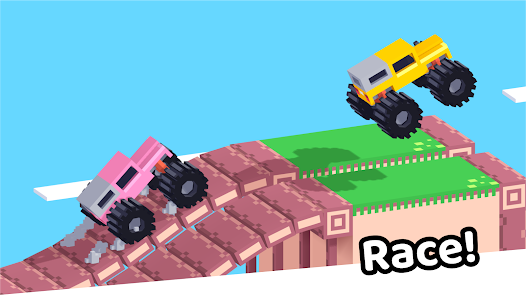 Drive Mad
 Wheelie Master
 Wheelie Party
 Moto X3M
 Street Wheelie
 Car Chaos
 Escape Drive
 Blocky Rider
 Mad Pursuit
 Mad Racers
 Chase Rush
 Smashy Road
 Driftio
 Night City Racing
 Hill Climb Racing
 Drift Hunters
 Smash Karts
 GT Cars Mega Ramps
 Motorcycle Racer Road Mayhem
 Funny Mad Racing