Watch intersections, not your car's immediate position — the collision risk is at the crossing points ahead, not where your car currently is. Shift your attention forward along the loop to the next intersection and read whether a car will occupy it when you arrive.
Deceleration is as important as acceleration — new players instinctively accelerate to get past threats. Sometimes decelerating to let a car clear the intersection first is the safer and more controlled option. Both inputs are valid responses to intersection timing; choose based on which direction creates the better gap.
Establish a comfortable baseline pace before maximizing loops — driving at maximum speed through every section produces the fastest loop times but also the narrowest intersection windows. A slightly lower baseline speed gives you more reaction time at each intersection, which produces longer runs than maximum-speed attempts that regularly crash at intersections.
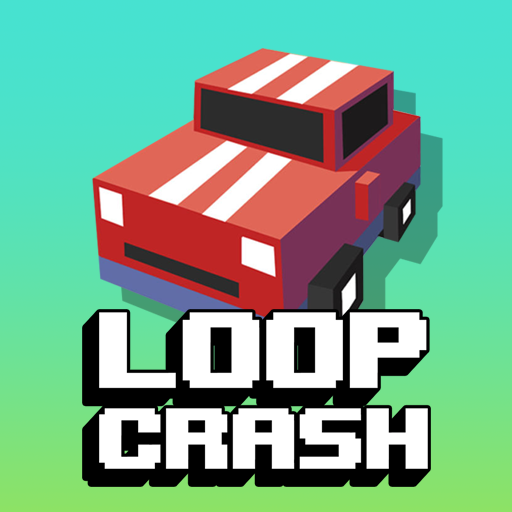
Loop Crash
Play Loop Crash online free at racing-limits.io. Jump into instant browser gameplay with no downloads.
Loop Crash is an arcade driving game with one of the most elegantly constrained premises in the genre: your car drives in a circle, other cars drive in the same circle, and the intersections where the loop crosses itself are where everything can go wrong. Every complete loop earns points and coins. Every intersection is a potential collision. Every additional car that joins the loop adds another timing variable to manage. The game gets harder the better you do — more loops means more cars, more cars means more intersections to read, more intersections means more timing decisions per minute. The difficulty curve is entirely generated by your own success.
Speed management is the game's singular skill demand. You can't steer in the traditional sense — you're on a fixed loop. What you control is how fast your car travels around that loop, which determines whether you arrive at any given intersection before, during, or after another car occupies the same point. Arriving too early is as bad as arriving too late; the gap between cars at intersections is the resource you're managing, and it exists only in the relationship between your speed and theirs.
The unlockable car collection provides a cosmetic and motivational progression alongside the pure skill challenge. Different cars give each session a fresh visual identity without altering the underlying timing game. Loop Crash is a game that doesn't need complexity to be compelling — its constraint is its strength, and the escalating timing challenge that its loop structure creates is genuinely difficult to put down once you're engaged with it.
Key Details:
Genre:
Arcade Driving / Timing
Difficulty Level:
Easy start, Hard at high traffic density
Average Play Time:
5–10 minutes per run
Best For:
Players who enjoy pure timing-skill arcade games, escalating difficulty curves, and the satisfying loop of earning points to unlock new vehicles
How to Play Loop Crash?
Getting Started:
Your car begins moving around the loop automatically — you don't steer, only manage speed.
Press/hold D to accelerate your car's speed around the loop.
Press/hold A to decelerate, slowing down to create more time before reaching intersections.
Complete full loops without colliding with other vehicles to earn points and coins.
As your score increases, more cars join the loop — keep reading the intersections ahead and adjusting your speed before reaching them.
Basic Controls:
Key
Action
D (hold)
Accelerate
A (hold)
Decelerate
Objective: Complete as many full loops as possible without colliding with other cars. Manage your speed around the loop to clear intersections safely as traffic density increases with each completed loop. Earn coins to unlock new vehicles.
Loop Crash Game Features & Highlights
Intersection timing challenge — crossings where the loop intersects itself are where most collisions occur, creating consistent focal points for speed management
Self-scaling difficulty — more loops completed means more cars added to the loop, ensuring difficulty always matches the player's current performance level
Pure speed management gameplay — acceleration and deceleration are the only inputs; no steering creates a focused, single-skill challenge
Points and coins per completed loop — dual reward for each full loop completion
Unlockable car collection — cosmetic variety that provides progression motivation alongside the score-chasing objective
Loop Crash Tips & Strategies
Beginner Tips:
Watch intersections, not your car's immediate position — the collision risk is at the crossing points ahead, not where your car currently is. Shift your attention forward along the loop to the next intersection and read whether a car will occupy it when you arrive.
Deceleration is as important as acceleration — new players instinctively accelerate to get past threats. Sometimes decelerating to let a car clear the intersection first is the safer and more controlled option. Both inputs are valid responses to intersection timing; choose based on which direction creates the better gap.
Establish a comfortable baseline pace before maximizing loops — driving at maximum speed through every section produces the fastest loop times but also the narrowest intersection windows. A slightly lower baseline speed gives you more reaction time at each intersection, which produces longer runs than maximum-speed attempts that regularly crash at intersections.
Advanced Strategies:
Read two intersections ahead, not one — at higher car densities, making a speed adjustment for the immediate intersection can put you on a bad trajectory for the next one. Learn to plan your speed for the next two intersections simultaneously, accepting a slightly worse approach to the first in order to arrive correctly at the second.
Cars added to the loop enter at predictable points — new vehicles don't spawn randomly mid-loop; they enter from specific positions. Learning where new cars typically appear allows you to anticipate their initial loop position and adjust your speed proactively rather than discovering their presence at an intersection.
Use the open sections of the loop to recover your baseline pace — after making a significant speed adjustment (large acceleration or deceleration) for an intersection, use the next open non-intersection section to smoothly return to your comfortable baseline pace rather than entering the next intersection still in an emergency-adjustment speed state.
What to Watch Out For:
Speed overcorrection creating a second problem — a large deceleration to avoid one car at an intersection may bring you into collision range with a car behind you that was previously at safe distance. When decelerating for an intersection, briefly consider what's behind you as well as what's ahead.
The pace of new car additions accelerating — new cars don't join the loop at a fixed interval; they arrive faster as your score increases. The mental model of "one new car every X loops" becomes inaccurate at high scores. Stay alert for new entries in the loop rather than assuming a known car count.
Loop Crash Game Elements Explained
Speed Management System: Loop Crash's control system — A to decelerate, D to accelerate — is the entire mechanical vocabulary of the game, and its simplicity is precisely calibrated to the challenge it creates. Since the loop's path is fixed, your speed at any point on the loop determines when you arrive at every subsequent intersection. Arriving early at an intersection occupied by another car produces a collision; arriving late produces a collision; arriving in the gap between cars produces a successful crossing. The gap exists in time — in the relationship between your speed and the other cars' speeds — rather than in space. Managing this temporal gap across multiple simultaneous intersections, with a continuously increasing number of cars, is the entire skill challenge that Loop Crash's simple control system enables.
Intersection Geometry: The loop in Loop Crash crosses itself at intersection points where the track geometry forces two vehicle paths through the same physical space. These intersections are the game's collision zones — two cars moving around the same loop arrive at these crossing points at intervals determined by their respective speeds. Understanding which intersections exist on the loop and reading which other cars are approaching them from the opposite direction is the primary information processing task the game requires. At low car densities, intersections are manageable with simple speed adjustments; at high car densities, multiple intersections may need simultaneous attention, creating a cognitive load that escalates proportionally with the traffic level the player's own performance has generated.
Escalating Traffic System: Loop Crash's difficulty system is directly tied to the player's performance rather than elapsed time. Each completed loop may add one or more cars to the track, meaning that better performance generates a harder game faster. This creates a difficulty curve that's uniquely personal — the game's challenge at any moment reflects how well the player has done rather than how long they've played. A player who completes loops efficiently reaches high car density faster than a conservative player who completes loops slowly. This self-pacing dynamic means each player's session difficulty is appropriate to their skill level without any external difficulty selection required.
Loop Crash Frequently Asked Questions
Q: How do I control my car in Loop Crash? A: Hold D to accelerate and hold A to decelerate. Your car moves around the fixed loop automatically — speed management is your only input. There is no steering; focus entirely on arriving at intersections when no other car is present.
Q: Why do collisions keep happening at the same spots? A: The loop's intersection points — where the track crosses itself — are where all cars' paths converge. These crossing points produce most collisions because multiple cars must pass through the same physical location. Focus your attention on reading these intersections ahead and adjusting your speed before you reach them rather than at them.
Q: Is it better to accelerate or decelerate to avoid collisions? A: Both are valid — the correct choice depends on which direction creates the better gap at the intersection. If a car will clear the intersection just before you arrive, accelerating to pass behind it works. If a car will arrive just after you, maintaining or reducing speed to pass before it works. Read the gap direction and respond accordingly.
Q: Is Loop Crash compatible with mobile devices? A: Loop Crash uses A/D keyboard controls and is best suited for desktop and laptop browsers. Mobile play requires a connected external keyboard for reliable acceleration and deceleration inputs during the timing-sensitive intersection management the game demands.
Q: How do I unlock new cars? A: Earn coins from completed loops and accumulate them toward unlocking new vehicles from the available collection. Each completed loop without crashing contributes coins — longer runs produce more coins per session.
Related Games Like Loop Crash You Might Enjoy
If you like Loop Crash, you might also enjoy:
Loop Breakout - It shares similar browser-game pacing and gives you another quick challenge to master.
Black Holeio - It is another easy-to-start browser game with strong replay value.
Wormateio - It is another easy-to-start browser game with strong replay value.

 Drift Frenzy
 Drift Rush
 Arcade Glide
 Track Dash
 Retro Rush
 Escape Road 3
 Wave Rider
 Traffic Road
 Escape Road City 2
 Bike Xtreme
 Escape Road 2
 Traffic Rally
 Tap Drift
 Drive Mad
 Wheelie Master
 Wheelie Party
 Moto X3M
 Street Wheelie
 Car Chaos
 Escape Drive
 Blocky Rider
 Mad Pursuit
 Mad Racers
 Chase Rush
 Smashy Road
 Driftio
 Night City Racing
 Hill Climb Racing
 Drift Hunters
 Smash Karts
 GT Cars Mega Ramps
 Motorcycle Racer Road Mayhem
 Funny Mad Racing